HazNode
HomePartnersAbout
Log In

HazNode® Safety · Forms

Some crews will never fill it in on a screen.

So do not make them. Build the form once, control exactly how it prints on A4, and let people use whichever version suits the day. Fill it in digitally, or fill in the paper page, photograph it, and HazNode® reads it back into a record for you to confirm.

Explore the platform

What it does

A builder you already know, and a page you control

Most form tools make you accept their layout. That is fine until you need the printed version to match a document a client, a principal or an auditor already recognises.

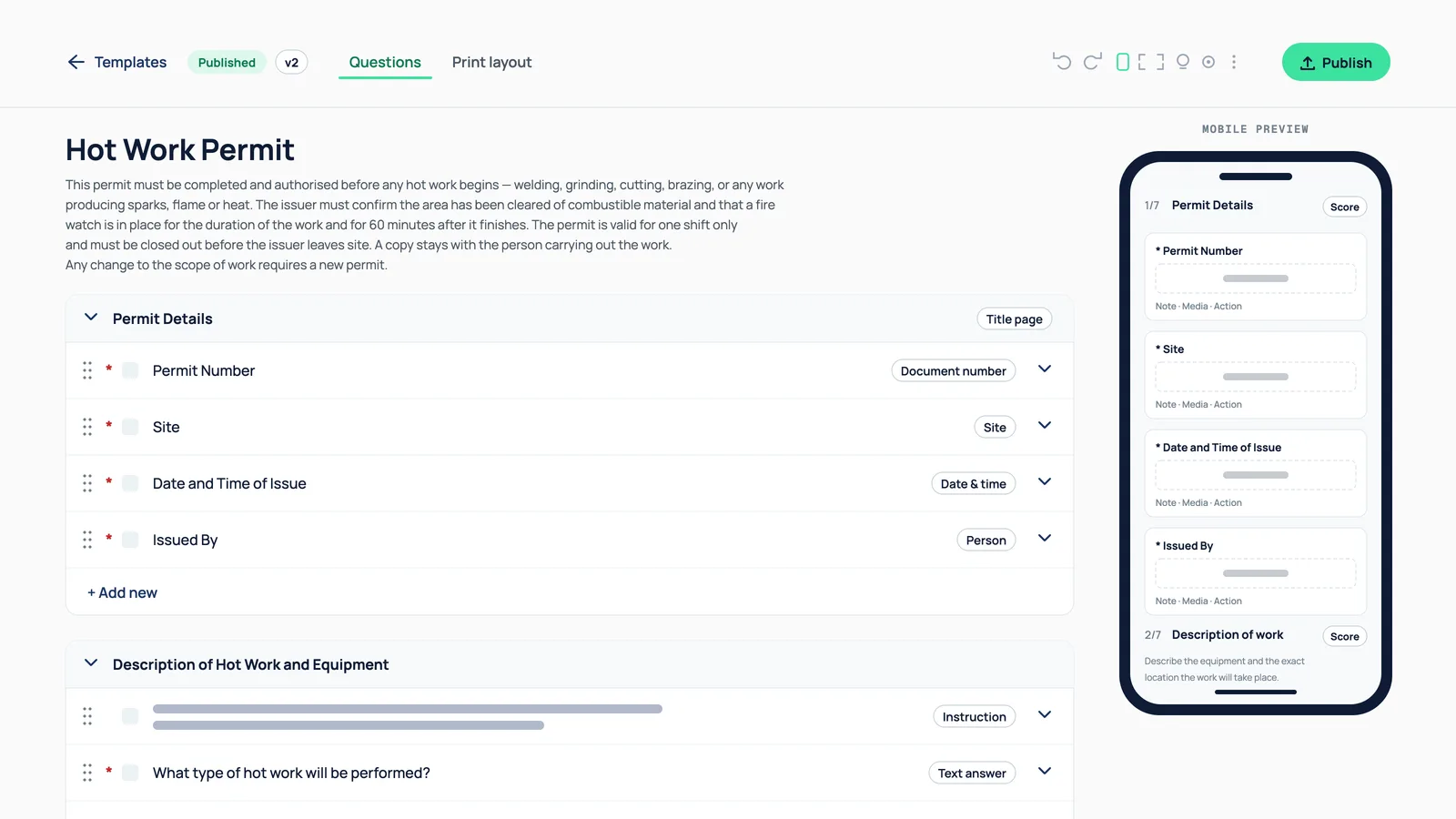
Forms builder in Questions mode for a hot work permit, with a live mobile preview alongside

Build the form properly

The same builder as inspections

Sections, typed questions, your own response sets, repeatable sections, conditional logic so questions appear only when they are relevant, optional scoring, and document numbers. There is no second builder to learn — if you have made an inspection template, you have made a form.

What you get

  • Sections, typed items and response sets

  • Repeatable sections and conditional logic

  • Optional scoring and document numbers

  • Categories you name yourself, not fixed ones

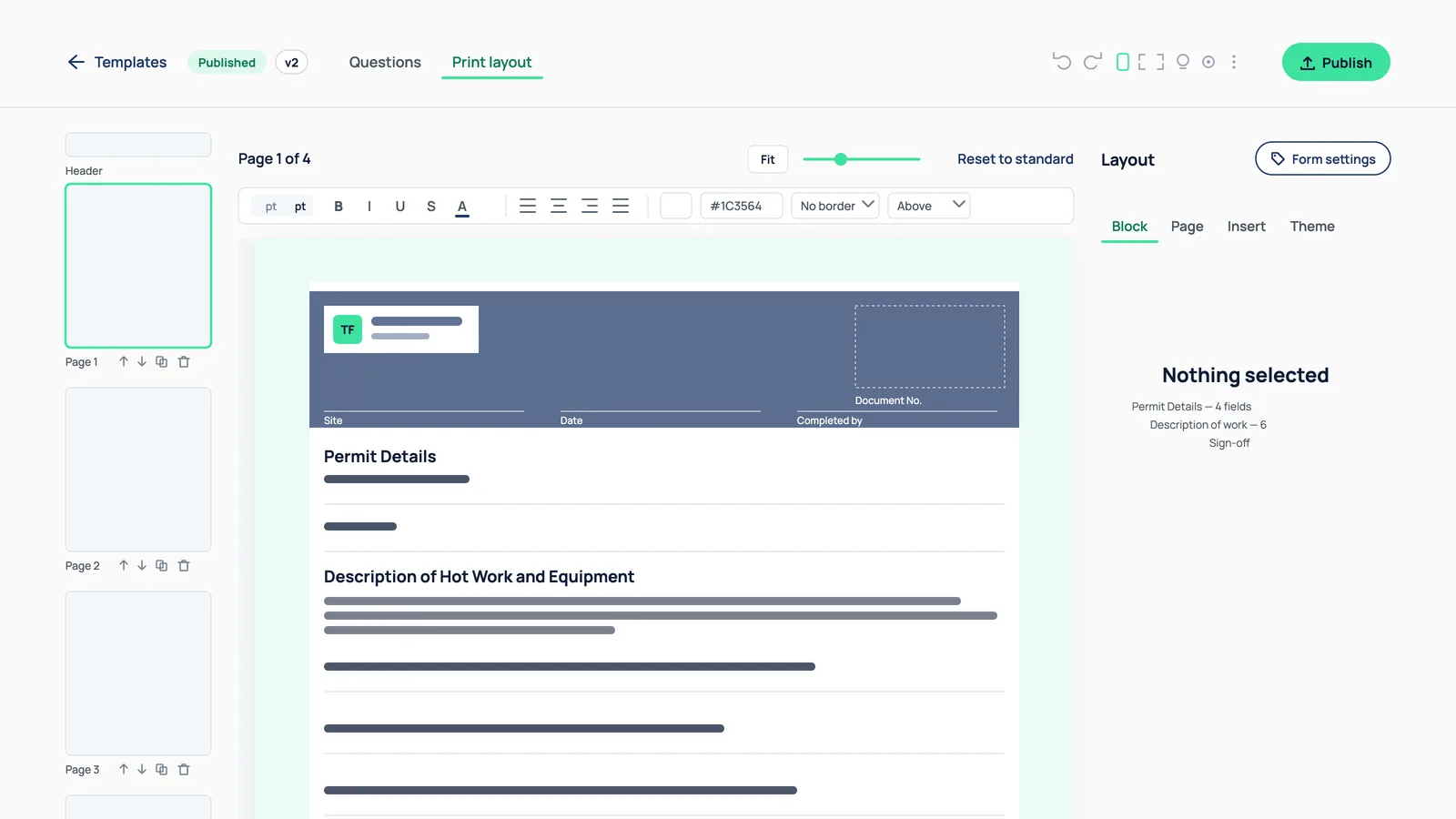
Print layout designer showing a hot work permit on an A4 page with a client logo in the header band and page thumbnails to the left

Lay out how it prints

Not a generic PDF export

A layout designer at template level: place and resize blocks freely on the A4 page, group them under coloured section bands, set the logo, header, footer and page breaks. Yes and no answers print as tick boxes coloured by the response. The printed form looks like your form, not like software output.

What you get

  • Free placement and resizing on the page

  • Coloured section bands, logo, header and footer

  • Page breaks where you want them

  • Yes/no printed as coloured tick boxes

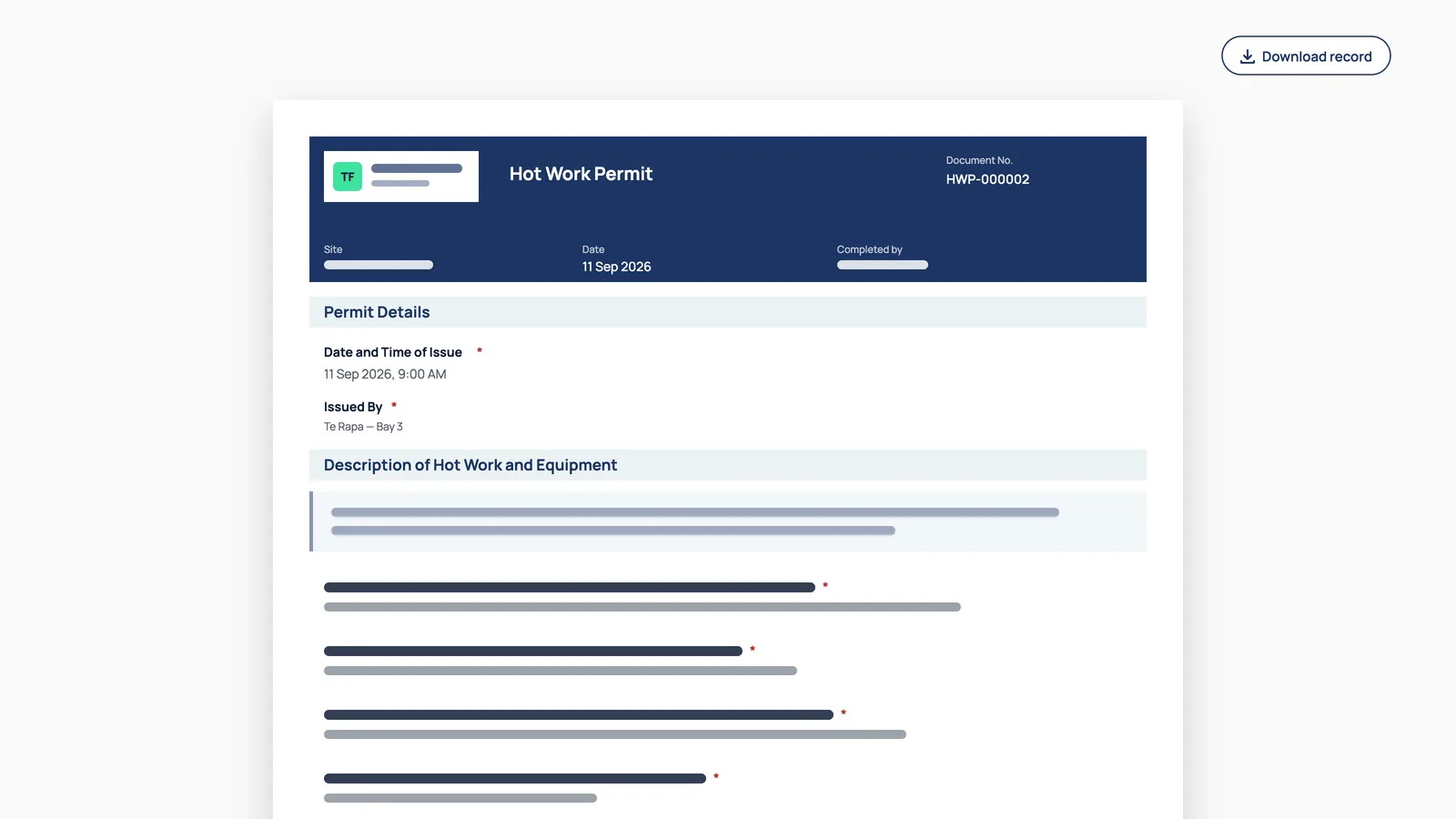
A completed hot work permit rendered as a PDF page, with document number, site, date and issuer in the header

Fill, sign and approve

On a laptop or a phone browser

Complete a form against a published template, optionally anchored to a site, with autosave as you go. Finish with a sign-off, or submit it for approval where someone else has to check it before it counts.

What you get

  • Fill on the web, phone browser included

  • Autosave while the form is open

  • Sign-off, or submit for approval

  • Optionally anchored to a specific site

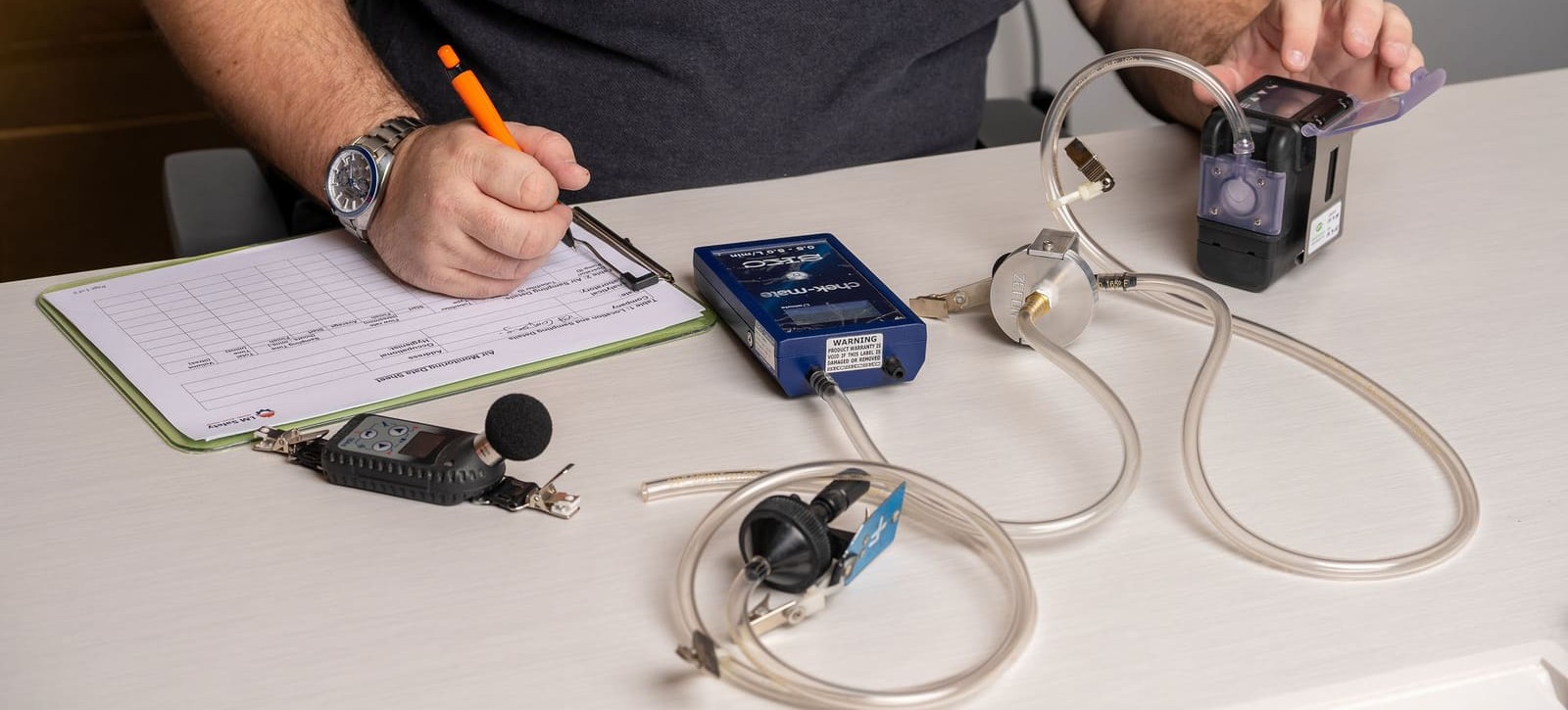
Worker completing a printed document alongside equipment

Or fill in the paper and photograph it

It knows the page, because it printed it

Print the blank A4, fill it in with a pen on site, then take a photo. Because HazNode® produced that layout it knows where every field sits on the page, so this is not general handwriting recognition against an unknown document — it reads each field from a position it already knows. What comes back is a draft for you to check and confirm, never a record posted behind your back.

What you get

  • Read field by field from the layout it printed

  • The blank carries a code identifying template, version and page

  • Signatures captured as an image on the record

  • Always a draft to confirm, never posted unchecked

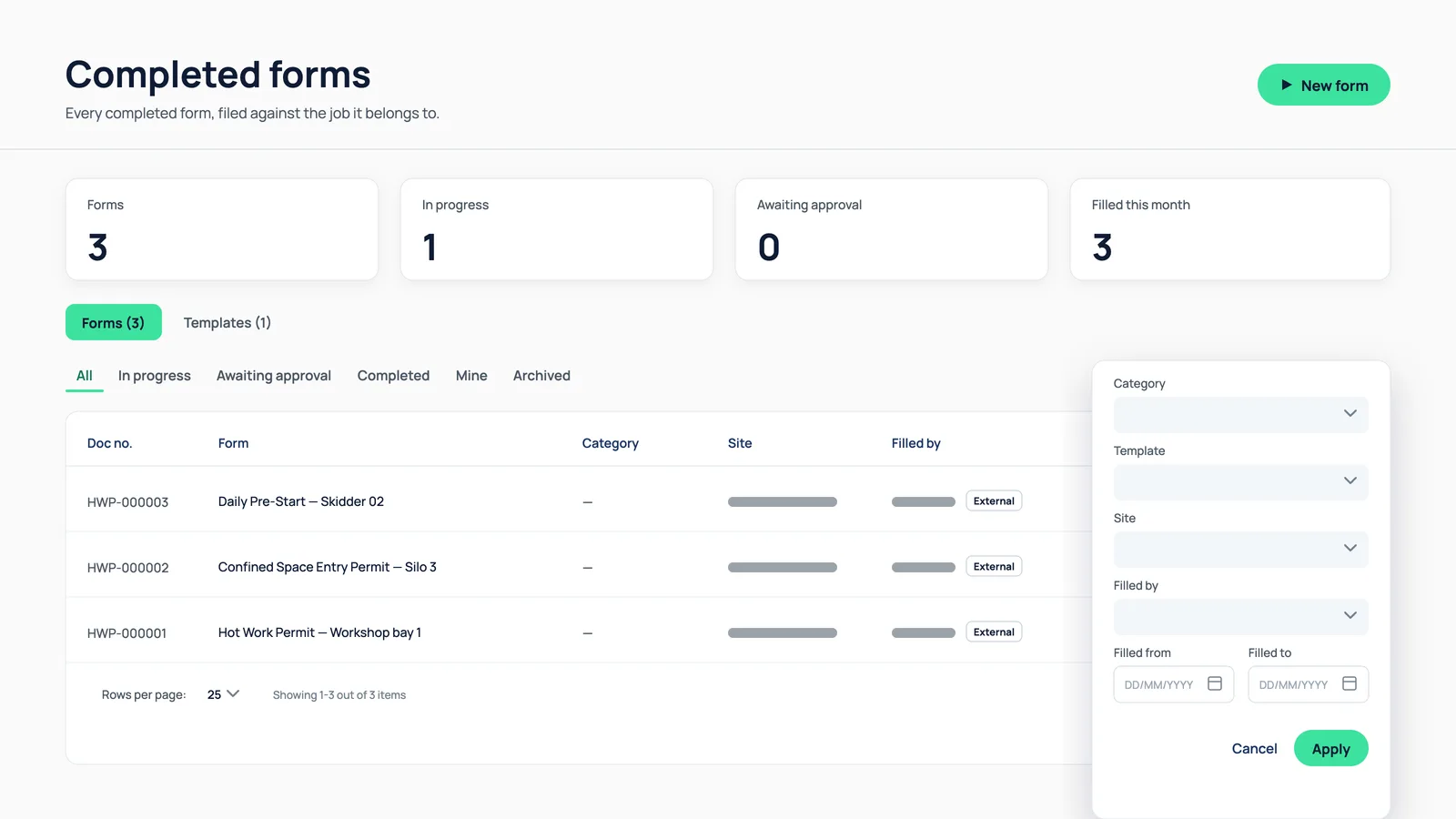
Completed forms register with the filter panel open for category, template, site, person and date

Two registers, both filterable

Templates, and everything completed

One register of your form templates by category and status, and one of every completed form — filterable by category, template, site, person and date. Finding the toolbox talk from a particular site in March is a filter rather than a hunt.

What you get

  • Template register by category and status

  • Completed forms by site, person and date

  • Print a blank A4 of any published template

  • Print a completed record as a PDF

Sound Familiar?

Sound familiar?

"

Half the crew will fill in paper and nothing will change that.

"

Your JSA is a Word document that has been copied and edited for years.

"

Digitising it means accepting somebody else’s layout and losing the one people recognise.

"

Completed forms are PDFs in folders, named inconsistently, findable only by memory.

"

The same form exists in four slightly different versions across the business.

"

Nothing stops a form being filed half-finished or unsigned.

"

Nobody can say which site has done its toolbox talks this month.

What changes

Your documents, without the document management

The reason paper forms persist is that they already work. The problem is everything that happens after they are filled in.

The form people know, digitised

Layout control means the printed version still matches what your crews and clients already recognise.

Paper stops being a dead end

A form filled in with a pen still reaches the register, instead of being retyped by someone or quietly lost.

One version, everywhere

A published template is the version in use, instead of four edited copies circulating by email.

Finished means finished

Sign-off and approval make the difference between a form that was completed and one that was started.

Findable afterwards

Completed forms filter by site, person and date rather than living in a folder named by whoever saved it.

Common questions

Questions about forms.

What kinds of forms can I build?

Any form your sites use — JSAs, toolbox talks, risk assessments, permits to work and sign-offs — in the same builder as inspections, with sections, typed questions, your own response sets, repeatable sections, conditional logic, optional scoring, document numbers and categories you name yourself.

Will the form still print the way ours does?

Yes. A layout designer at template level lets you place and resize blocks on the A4 page, group them under coloured section bands, and set the logo, header, footer and page breaks. Yes and no answers print as coloured tick boxes.

Can a form be approved by someone else?

Yes. A completed form is finished with a sign-off, or submitted for approval where someone else checks it before it counts. Forms autosave while open and can be filled on a laptop or a phone browser.

Can people fill it in on paper?

Yes. Print the blank A4, fill it in by hand and photograph it. Because HazNode® produced the layout it reads each field from a known position on the page, and returns a draft for you to confirm rather than posting a record unchecked.

Bring the form you use most

Send us your JSA or toolbox talk record. We will show you it printed, filled in by hand, photographed and read back — which is the part worth judging for yourself.

haznode logo

© 2026 HazNode Software Limited. All rights reserved.